

Hey there! As a supplier of pet sheet extrusion lines, I've seen my fair share of electrical system issues. In this blog, I'll share some tips on how to troubleshoot the electrical system of a pet sheet extrusion line.
Understanding the Basics
First off, it's important to have a basic understanding of the electrical system in a pet sheet extrusion line. The electrical system is like the nervous system of the machine, controlling everything from the motors that drive the extrusion process to the sensors that monitor temperature and pressure.
The main components of the electrical system include the power supply, control panels, motors, sensors, and wiring. Any problem with these components can lead to issues in the extrusion process, such as inconsistent sheet thickness, poor quality, or even complete breakdown of the machine.
Common Electrical Problems and Solutions
1. Power Supply Issues
One of the most common problems is a power supply issue. This could be due to a blown fuse, a tripped circuit breaker, or a problem with the electrical outlet. If you notice that the machine isn't turning on at all, the first thing you should do is check the power supply.
- Check the Fuses: Locate the fuse box in the control panel. If a fuse is blown, it will be visibly damaged. Replace it with a new fuse of the same rating. Make sure to follow safety procedures when handling fuses, as they can carry a high electrical charge.
- Reset the Circuit Breaker: If the circuit breaker has tripped, you can usually reset it by flipping the switch back to the "on" position. However, if the breaker trips again immediately, there may be a more serious electrical problem that requires professional attention.
- Verify the Electrical Outlet: Plug a different device into the same outlet to see if it works. If not, there may be an issue with the outlet itself. You may need to call an electrician to fix it.
2. Motor Problems
Motors are crucial for the operation of the extrusion line, as they drive the screws, rollers, and other moving parts. If a motor isn't working properly, it can cause the machine to run slowly, make strange noises, or stop working altogether.
- Check for Overheating: Motors can overheat due to excessive load, poor ventilation, or a problem with the motor itself. If you notice that a motor is hot to the touch, turn off the machine immediately and let it cool down. Check the ventilation system to make sure it's clear of debris and that the cooling fans are working properly.
- Listen for Unusual Noises: Grinding, rattling, or humming noises coming from a motor can indicate a problem with the bearings, belts, or other internal components. If you hear any unusual noises, stop the machine and inspect the motor for damage.
- Test the Motor's Electrical Connections: Loose or corroded electrical connections can cause a motor to malfunction. Check the wiring connections to the motor and make sure they are tight and free of corrosion. If necessary, clean the connections with a wire brush and apply a small amount of electrical contact cleaner.
3. Sensor Malfunctions
Sensors play a vital role in monitoring the temperature, pressure, and other parameters of the extrusion process. If a sensor isn't working correctly, it can lead to inaccurate readings and affect the quality of the pet sheets.
- Check the Sensor's Calibration: Over time, sensors can become misaligned or lose their calibration. Refer to the machine's manual to find out how to calibrate the sensors. You may need to use a calibration tool or follow a specific procedure to ensure accurate readings.
- Inspect the Sensor for Damage: Physical damage to a sensor, such as a broken wire or a cracked housing, can cause it to malfunction. If you notice any damage, replace the sensor with a new one.
- Test the Sensor's Output: Use a multimeter or other testing equipment to check the output of the sensor. Compare the readings to the expected values to determine if the sensor is working properly.
4. Wiring Issues
Faulty wiring can cause a variety of electrical problems in the extrusion line. Loose connections, frayed wires, or short circuits can lead to intermittent power loss, electrical shocks, or even fires.
- Inspect the Wiring for Damage: Look for any signs of fraying, cracking, or burning on the wires. Pay special attention to areas where the wires are bent or exposed to heat or moisture. If you find any damaged wires, replace them immediately.
- Check the Wiring Connections: Make sure all the wiring connections are tight and secure. Loose connections can cause arcing, which can lead to overheating and damage to the electrical components.
- Look for Short Circuits: A short circuit occurs when two or more wires come into contact with each other, causing a sudden surge in electrical current. If you suspect a short circuit, turn off the power supply immediately and use a multimeter to test the wiring for continuity.
Advanced Troubleshooting Techniques
If you've tried the basic troubleshooting steps and still can't solve the problem, you may need to use some advanced techniques. However, these should only be attempted by experienced technicians, as they can be dangerous if not done correctly.
1. Using Diagnostic Tools
Many modern pet sheet extrusion lines are equipped with diagnostic tools that can help you identify and troubleshoot electrical problems. These tools can provide detailed information about the machine's electrical system, such as voltage readings, current flow, and fault codes.
- Read the Fault Codes: If the machine has a fault code display, refer to the manual to find out what the codes mean. The fault codes can give you a clue as to where the problem is located and what needs to be done to fix it.
- Use a Multimeter: A multimeter is a versatile tool that can be used to measure voltage, current, and resistance. Use it to test the electrical components in the machine, such as motors, sensors, and wiring. Make sure to follow the proper safety procedures when using a multimeter.
- Perform a Continuity Test: A continuity test can help you determine if a wire or a component is functioning properly. Use a multimeter to check for continuity between two points in the electrical circuit. If there is no continuity, there may be a break in the wire or a problem with the component.
2. Consulting the Manufacturer's Technical Support
If you're still having trouble troubleshooting the electrical system, don't hesitate to contact the manufacturer's technical support team. They have the expertise and experience to help you diagnose and solve the problem.
- Provide Detailed Information: When contacting technical support, be sure to provide as much information as possible about the problem. This includes the symptoms you're experiencing, the steps you've already taken to troubleshoot the problem, and any error codes or diagnostic information you've obtained.
- Follow the Technician's Instructions: The technical support team may provide you with specific instructions on how to fix the problem. Make sure to follow their instructions carefully and ask any questions you may have.
Preventive Maintenance
Preventive maintenance is key to keeping the electrical system of your pet sheet extrusion line in good working condition. By performing regular maintenance tasks, you can prevent many electrical problems from occurring in the first place.
- Keep the Machine Clean: Dust, dirt, and debris can accumulate on the electrical components, causing them to overheat and malfunction. Regularly clean the control panel, motors, and sensors using a soft brush or compressed air.
- Lubricate Moving Parts: Motors and other moving parts require proper lubrication to operate smoothly. Follow the manufacturer's recommendations for lubricating the machine's components.
- Inspect the Electrical System Regularly: Schedule regular inspections of the electrical system to check for any signs of wear, damage, or loose connections. Replace any worn or damaged components before they cause a problem.
Conclusion
Troubleshooting the electrical system of a pet sheet extrusion line can be a challenging task, but with the right knowledge and tools, you can diagnose and solve many common problems. Remember to always follow safety procedures when working with electrical systems, and don't hesitate to seek professional help if you're unsure about anything.
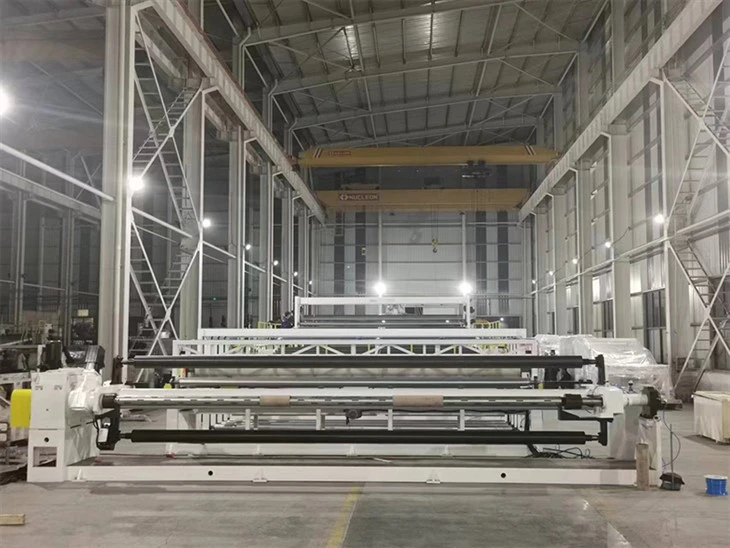

If you're in the market for a new pet sheet extrusion line or need replacement parts for your existing machine, we've got you covered. Check out our Single Screw Or Twin Screw PET Sheet Extrusion Line for high-quality and reliable equipment. We also offer other types of extrusion lines, such as the Water Drainage Sheet Extrusion Line and the HDPE/LDPE Waterproof Extra-width Geomembrane Extrusion Line.
If you have any questions or would like to discuss your specific requirements, feel free to reach out to us. We're here to help you find the best solution for your extrusion needs.
References
- "Pet Sheet Extrusion Line Operation Manual"
- Electrical Engineering Handbook for Industrial Machinery


